The maximum was a full screen
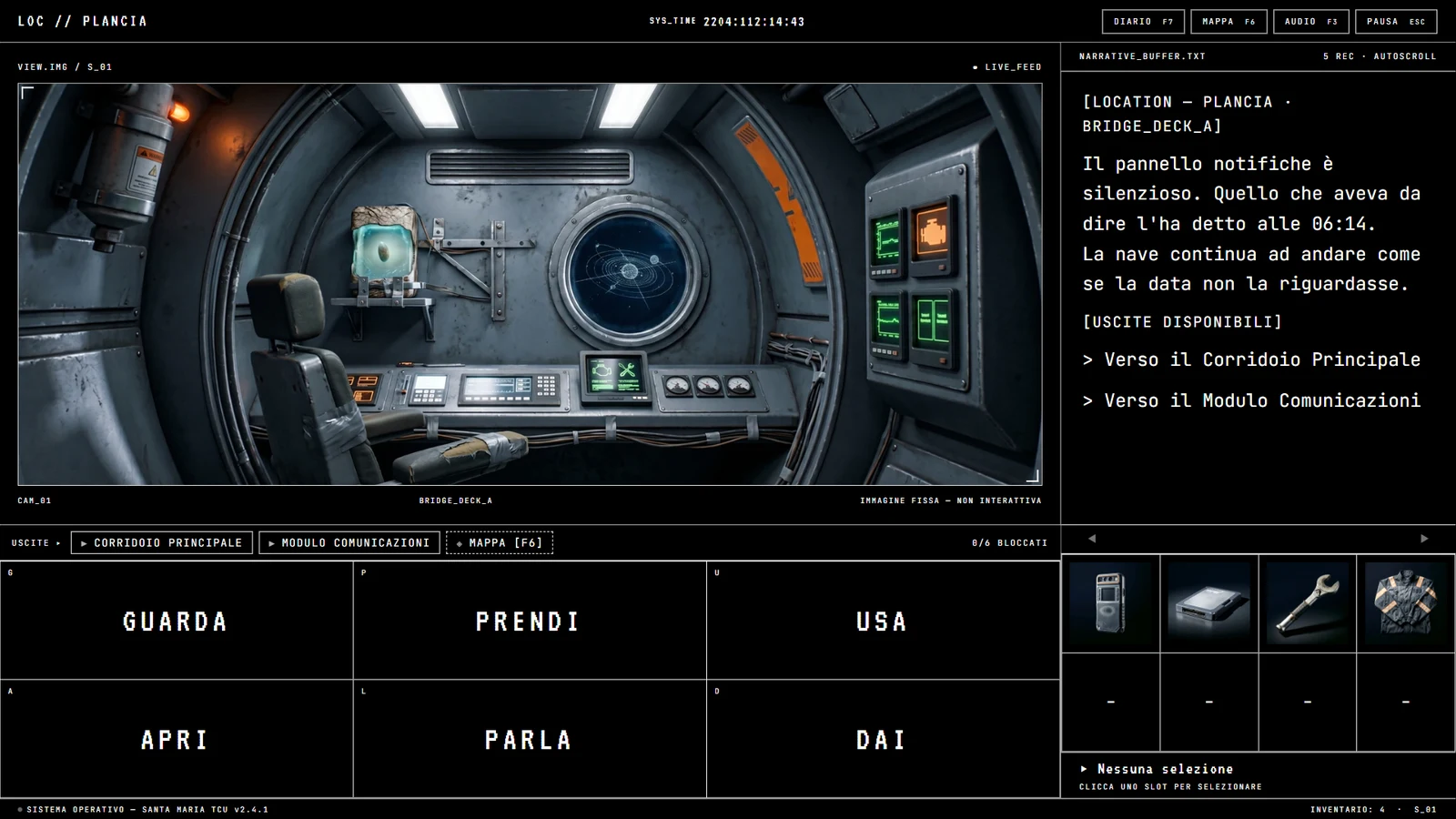
In the settings panel there is a slider that changes the size of the game. Pull it left and the picture shrinks. Towards the right it stops at full screen, with a line underneath saying so: the maximum is the size that fills the screen.
Anyone who needs the opposite opens that screen, finds that slider and goes back out.
Fabrizio sent us six observations about the interface. Four of them were about the same screen. The problem, then, was the screen.
A panel that grew by accretion
The settings panel was never designed. It started with a few entries and got another one every time we needed one, one at a time. Nobody ever looked at the whole thing at once, and it showed.
In seven different places a toggle row read “ACTIVE … OFF”. Two opposite claims a hand’s width apart. The label is on the left, and a label says what the control governs; how it is set right now belongs on the right. On those rows the word “ACTIVE” had ended up on the left, which is the wrong side. The label now reads STATE, and how it is set is the switch’s business. The switch, meanwhile, has become an actual switch, with a knob that moves.
That knob declares its position in four ways, and three of them are not colour: it sits left or right, the word next to it changes, the square is hollow or filled. Colour comes last. This matters because in HIGH CONTRAST mode every colour in the panel turns into the same white, and a switch that speaks through colour would go mute in exactly the place built for people who see poorly.
A whole option was missing too. The game started in forced full screen, and the only way out was F11, a key our code never even sees go past, written down nowhere. Fabrizio went looking for the option where it was reasonable to look for it, in the VIDEO tab, and found four buttons with numbers like 1366×768 in them: a testing tool that shows what the game looks like on a smaller monitor while you stay on this one. He read them as a resolution selector, which is what they are in every other game. The first entry in that tab is now two buttons, FULL SCREEN and WINDOWED, with a line underneath saying you can also switch with F11.
The first attempt was to enlarge everything
On the slider that stops at full screen, the work plan was already written. It said that answering “for text there is TEXT SIZE” was a partial answer, because that setting enlarges letters and not the item icons, not the labels, not the spacing.
So we extended it to half the application. Verbs went from 44 to 66 pixels, panel headings from 11 to 16 and a half, the name of the item in your hand from 22 to 33; inventory icons grew until they filled their slot. A fourth level appeared at the top, MAXIMUM. The section changed name, from TEXT SIZE to ENLARGEMENT, because the old name was no longer true.
Measured, everything was in order: nothing spilled out of its box, at four levels, across three resolutions, on all four themes.
One thing did not fit. At the top level the heading of the text panel wrapped onto two lines, from 38 to 71 pixels tall for a word meant to sit on one. Nothing disappeared and nothing broke.
Where it stops
The two sentences that settled the question are Simone’s, and they go in whole.
“Enlarging the graphics means disfiguring the game. Helping people with low vision is an absolute point for me, since I am one of them, but there also has to be respect for the product as it was conceived and for the art inside it.”
“My terror is that in the end interfaces break in order to blow things up beyond all measure, and professional games limit this a great deal too. Enlarge, yes, absolutely, but with judgement and respect.”
That wrapped heading was the same fear in miniature. Not a fault: the first crack.
And the work plan had gone wrong upstream. What it called a partial answer was in fact a boundary, and we had read it as a list of things to do.
What grows now
What grows is what you read in order to play, and nothing else. Narrative text goes from 16 to 24 pixels at the top level, system and transmission lines from 13 to 19 and a half, the lines you choose between in dialogue from 18 to 27. And the list of targets, the one that opens when you pick what to act on, which was small to begin with: entries from 14 to 21, column titles from 10 to 15.
Everything else goes back to a fixed size: verbs, headings, the exits bar, the footer, the item name, the inventory icons. At maximum enlargement the interface is identical to the normal one, measurement by measurement, and that is the test the whole thing had to pass. The section took its old name back too: TEXT SIZE was true, and it is true again.
A tester reports what they ran into, not what should be done
Two more reports came in the same day, and both of them say something about this.
The first is Mauro’s. When William has the work suit in hand and picks USE, the game asks what to use it on, and the first entry on the list was “ON NOTHING — JUST USE IT”. Mauro wrote that putting on a suit is not using it on nothing: the protagonist is not an object, but neither is he a nothing, he is the person the player is inhabiting. He is right on two counts. Taken literally the line is false, because there is a target and it is William. Inside the game it is worse than false, because it calls nothing the one thing the player is standing in for.
The correction that comes to mind first is to rewrite that string, and it is the wrong one. That entry does not belong to the suit: it is the entry that shows up for every object used on its own, and for the letter “on nothing” is right, because a letter is read rather than applied to something. Changed there, the suit would have been cured and the letter would have fallen ill. The wording now travels with the object, and the suit carries its own state along with it: “ON YOURSELF — PUT ON” while it is folded, “ON YOURSELF — TAKE OFF” while it is being worn. A fixed label would have lied every other time, and it would have lied to whoever wanted it off.
The second is one word. The first audio section of the panel was called MASTER VOLUME. We were told to change it because “master” evokes the master/slave pairing. It does not. In audio “master” comes from the master tape, the principal copy the others are struck from. It is a recording studio term, not a term about hierarchy, and no “slave” has ever existed in that panel.
The string had to be translated anyway, for a different reason: in Italian it is a word inside an Italian sentence, not an abbreviation. Two lines below it, SFX INVENTORY stays in English and does not move, because SFX genuinely is an abbreviation, like REC, and not the name of a control.
We spent more time on one word than on the change itself, and for a practical reason. A decision put on the record with a false justification holds until somebody checks. The day someone looks up where “master” comes from, the justification falls, and the change falls with it, and it gets reopened from scratch by someone who knows nothing about this day.
On the enlargement we had not asked the same question. It cost us one version, taken back the same day.
The three nobody reported
The manual scale slider had the wrong ceiling. At 1024×768 the highest reachable value produced a picture 1056 pixels wide inside a screen 1024 wide: thirty two pixels outside, sixteen a side, cut off with no scrollbar and no warning. And 1024×768 is one of the three resolutions the project requires everything to be checked on.
The list of targets had no height ceiling at all. It grew with the number of entries, and with enlargement it would have grown with the type size too. Past a certain length the last entries ended up outside the picture, which cuts them silently: targets the player would never see and would never know they were not seeing. With the list pushed to forty four entries at the largest size, it needed nearly three thousand pixels of height inside a picture that has 1080. That box now stops at 960 and the list scrolls.
The third one only showed up on a real window. Coming out of full screen, we reassigned the window bounds ourselves, so as not to end up with a window as big as the monitor, its title bar past the edge and the taskbar covered. The comment in the code said exactly that and it was right; the code was not carrying it out, because Windows finishes restoring the previous geometry after telling us about it, and overwrote us. Measured on the live window: 1904×816 instead of the 1352×731 we expected. In development that fault cannot show up by construction, because there is no system window there to govern.
That slider, now
It still stops at full screen, and that is fine: there is no screen above it. The line underneath has changed. It used to stop at stating the fact; it now ends by saying where to go, which is to enlarge the text, use TEXT SIZE above.
In the notes that go with the test build we asked for an opinion on accessibility from anyone who sees poorly or does not distinguish colours. Fabrizio answered half of it without the question being addressed to him. The rest has not arrived yet.